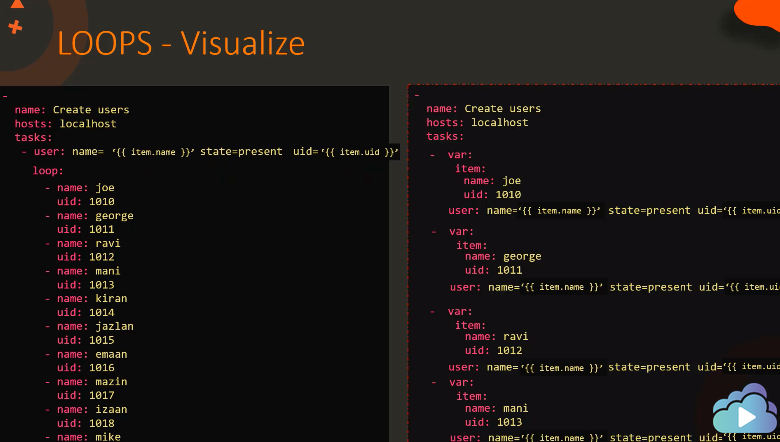
loop 지시문과 변수를 받아 반복을 수행한다. 변수에 방식에 따라 3가지의 방식이 있다.
1.기본 item 변수 사용
- name: test1
  hosts: web1.example.com
  tasks:
    - name: postfix and httpd are running
      service:
        - name: "{{ item }}"
          state: started
      loop:
        - postfix
        - httpd
2.사용자 정의 변수 사용
- name: test1
  hosts: web1.example.com

  vars:
    check_services:
      - postfix
      - httpd

  tasks:
    - name: postfix and httpd are running
      service:
        - name: "{{ item }}"
          state: started
      loop: "{{ check_services }}"
3.hash/dictionary 목록으로 된 변수 사용
- name: group loop
  hosts: web1.example.com

  tasks:
    - name: users eaist and are in the correct groups
      user:
        name: "{{ item.name }}"
        state: present
        groups: "{{ item.groups }}"
      loop:
        - name: jane
          groups: wheel
        - name: joe
          groups: root
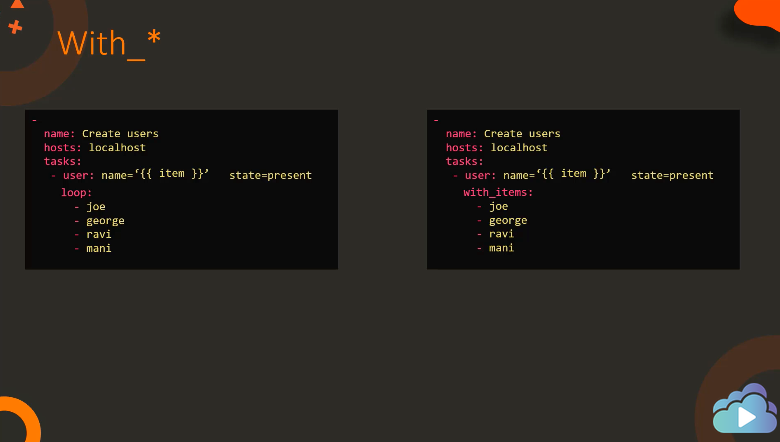

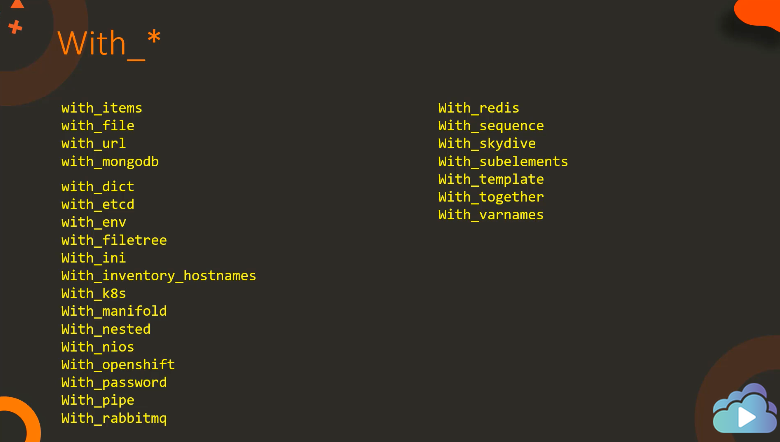
플레이북은 현재 echo 명령을 실행하여 과일 이름을 출력합니다. 루프 지시문(with_items)을 작업에 적용하여 과일 변수에 정의된 모든 과일을 인쇄합니다.
-
    name: 'Print list of fruits'
    hosts: localhost
    vars:
        fruits:
            - Apple
            - Banana
            - Grapes
            - Orange
    tasks:
        -
            command: 'echo "{{ item }}"'
            loop: "{{ fruits }}"
-
name: 'Print list of fruits'
hosts: localhost
vars:
fruits:
- Apple
- Banana
- Grapes
- Orange
tasks:
-
command: 'echo "{{ item }}"'
with_items: "{{ fruits }}"
-
    name: 'Install required packages'
    hosts: localhost
    vars:
        packages:
            - httpd
            - binutils
            - glibc
            - ksh
            - libaio
            - libXext
            - gcc
            - make
            - sysstat
            - unixODBC
            - mongodb
            - nodejs
            - grunt
    tasks:
        -
            yum:
              name: "{{ item }}"
              state: present
            with_items: '{{ packages }}'
반응형
'Ansible' 카테고리의 다른 글
| Playbook run options (0) | 2023.06.28 |
|---|---|
| Ansible Roles (0) | 2023.06.28 |
| Ansible Conditionals (0) | 2023.06.27 |
| Ansible Variables (0) | 2023.06.27 |
| Ansible Module - Package (0) | 2023.06.27 |


